

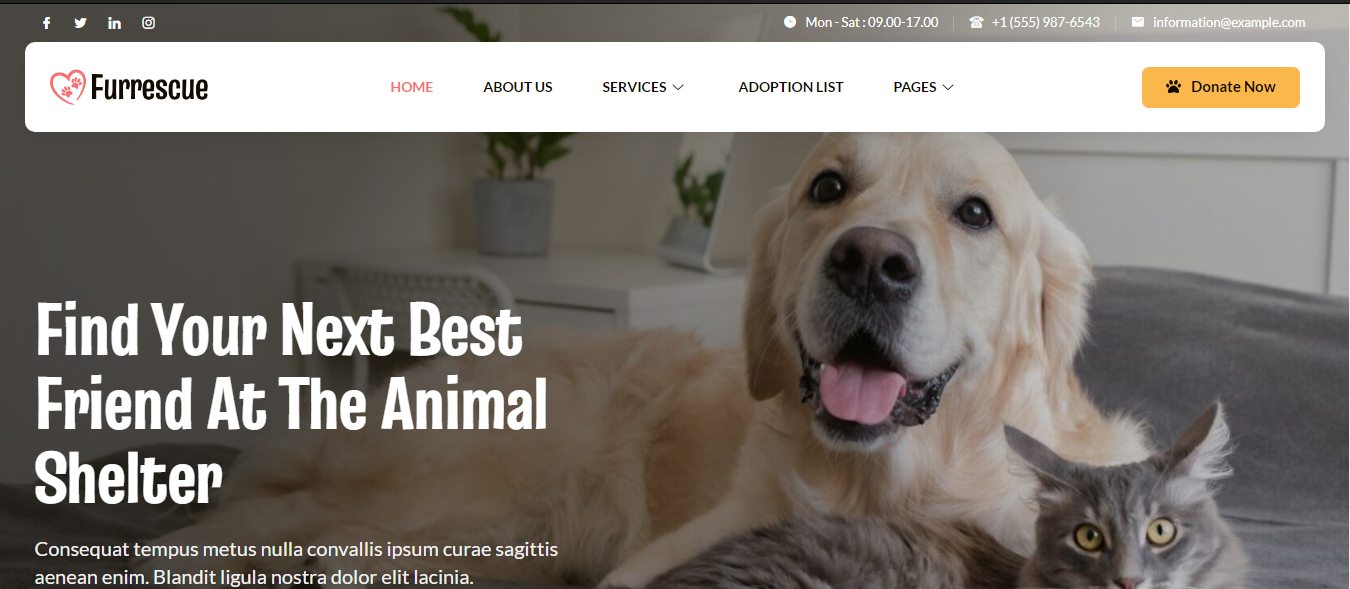


Furrescue – Animal Shelter & Pet Rescue Elementor Template Kit
Original price was: $10.00.$4.00Current price is: $4.00.
Elevate your online presence with Furrescue, a cutting-edge Elementor Template Kit, perfectly designed for Animal Shelters, Pet Rescues, and Animal Welfare Organizations. Furrescue boasts a sleek, modern design that adapts seamlessly across all screen sizes, ensuring a smooth and engaging browsing experience for every visitor. With its intuitive Elementor interface, customizing your site is effortless—no coding required. Dive into our collection of over 12 professionally crafted templates, each one tailored to captivate animal lovers and boost your website’s impact.
Thank you for reading this post, don't forget to subscribe!Optimized for Elementor
Furrescue is crafted specifically for use with the Elementor page builder, offering ready-to-use page content that integrates smoothly with the free Hello Elementor theme or any Elementor-compatible theme.
Key Features:
- Unique, Clean, and Modern Design
- 10 Ready-to-Use Pages
- 14 Ready-to-Use Templates & Forms
- Container Layout for Optimal Display
- No Need for Elementor Pro – Uses Free Plugins
- Fully Responsive Design
- Global Kit Style for Easy Font and Color Customization
Included Templates:
- Header
- Footer
- Contact Form
- Subscription Form
- Adoption List
- About Us
- Services
- Donation Page
- Team Page
- Contact Us
- 404 Page
- Single Post
- Blog
- Homepage
- Global Kit Styles
Required Plugins:
- ElementsKit Lite
- Skyboot Icons
- Metform
How to Use Furrescue Template Kit:
This template kit is designed for Elementor, not a standalone WordPress theme. It can be installed through the Envato Elements plugin for WordPress or directly within Elementor.
- Download and Install: Download your template kit from Envato without unzipping it. Make sure “Open safe files after downloading” is disabled in Safari if you’re using it.
- Permalink Settings: Go to Settings > Permalinks and select “Post Name.”
- Theme and Plugin Setup: Ensure the Hello Elementor theme is active, and install the required plugins—Elementor and Envato Elements.
- Upload and Install: Navigate to Elements > Installed Kits and click “Upload Template Kit Zip.”
- Import Templates: Import Global Kit Styles first, followed by individual templates as needed. Templates are saved under Templates > Saved Templates.
- Enable Skyboot Libraries: Go to Skyboot > Settings and enable all libraries.
- Set Up Pages: Create new pages, select Elementor Full Width, and hide page titles for a clean look. Use the My Templates tab to import designs.
- Global Header & Footer: Use ElementsKit to set up your header and footer for a cohesive site design.
For more detailed guidance, refer to the Envato Elements WordPress Plugin guide or access support directly in your WordPress dashboard under Elementor > Get Help.
Importing Metforms:
If you use Elementor Pro, you can skip Metform installation and proceed with form blocks. Follow these steps to add Metform templates and customize them easily.
Maximize your online visibility and attract fellow animal lovers with Furrescue—your go-to solution for building a beautiful, user-friendly website that showcases the heart of your animal rescue mission.